
The National Library of Medicine has created an experimental resource, Linked DiscoveriesTM, to help users explore how articles with PubMed® abstracts connect to the surrounding literature. Using the Linked Discoveries resource will map up to 200 citations that are closely related to an article that you choose, and bundles the articles into what they call a “Neighborhood”.
To use the resource, find an article in PubMed. The Linked Discoveries button will show up on the right-hand side of the citation record.
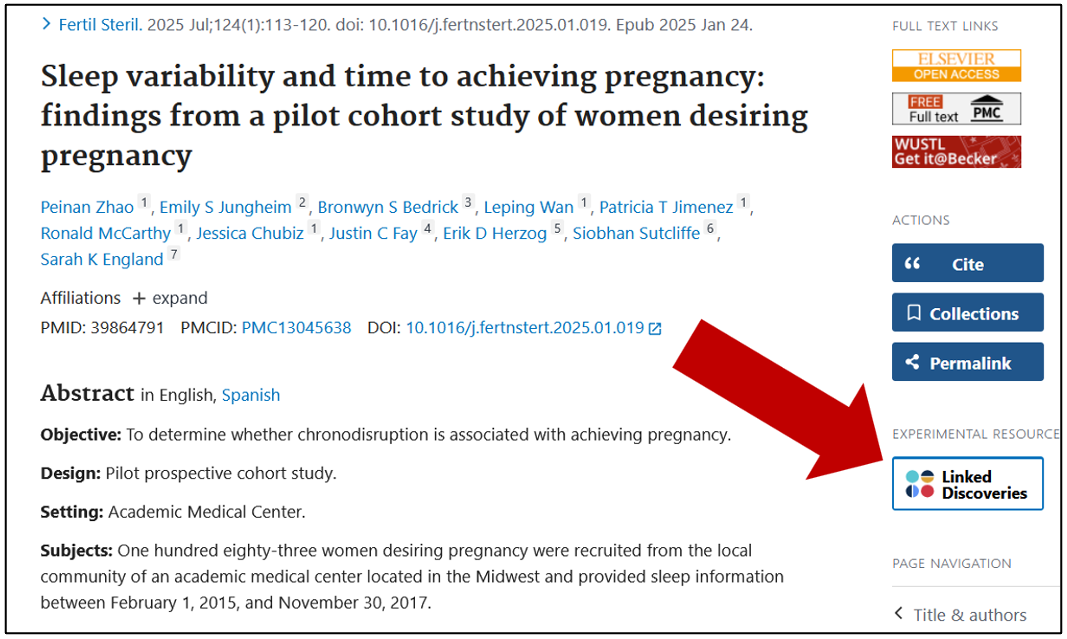
You will then be able to
- View top cited articles by clicking on citations marked with larger light blue circles (halos)
- Explore the article details table to view a list of similar articles
- Filter by indexed condition, gene, or chemical
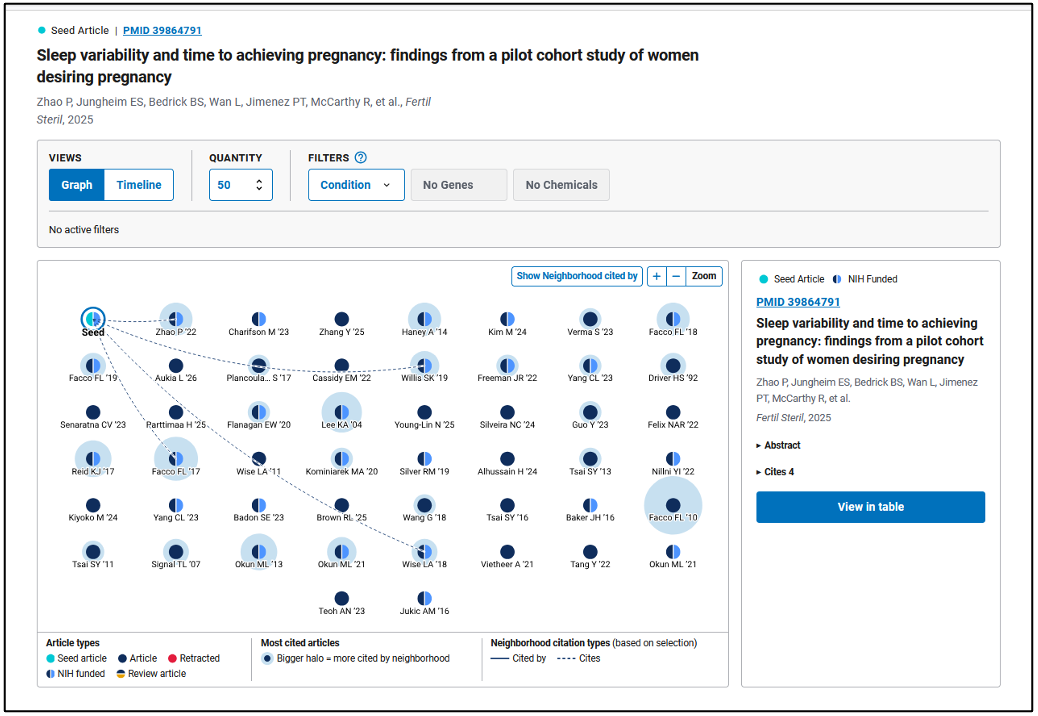
In the example, Sleep variability and time to achieving pregnancy, Linked Discoveries marks the article as the “seed” article. It defaults to retrieve 50 similar articles. Since this is a study, most of the results are also studies. In Graph view, you can see the articles that it cited following the dotted lines, plus articles on a similar topic. The largest halo surrounds Facco 2010.
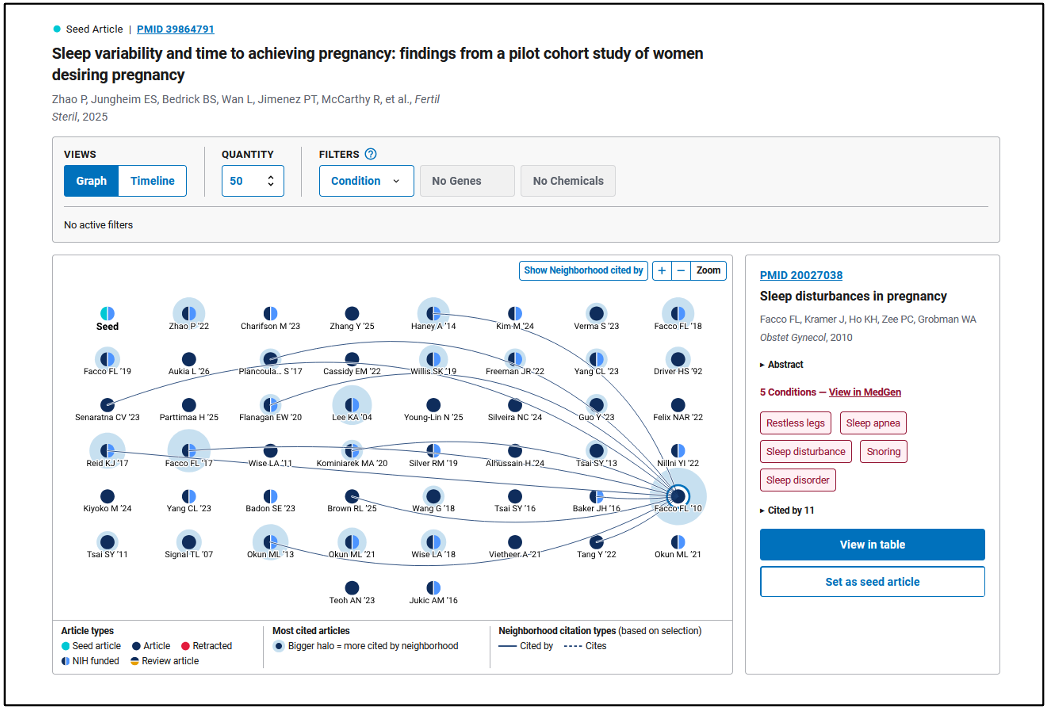
Clicking on the Facco 2010 article will show the Neighborhood citation types. The solid lines now show who cited this article. Some other actions are:
- Access the full article by clicking on the PMID link above the summary
- Change the seed article to Facco 2010 to shift to a new Neighborhood
- Sort articles by year of publication by changing the view from Graph to Timeline
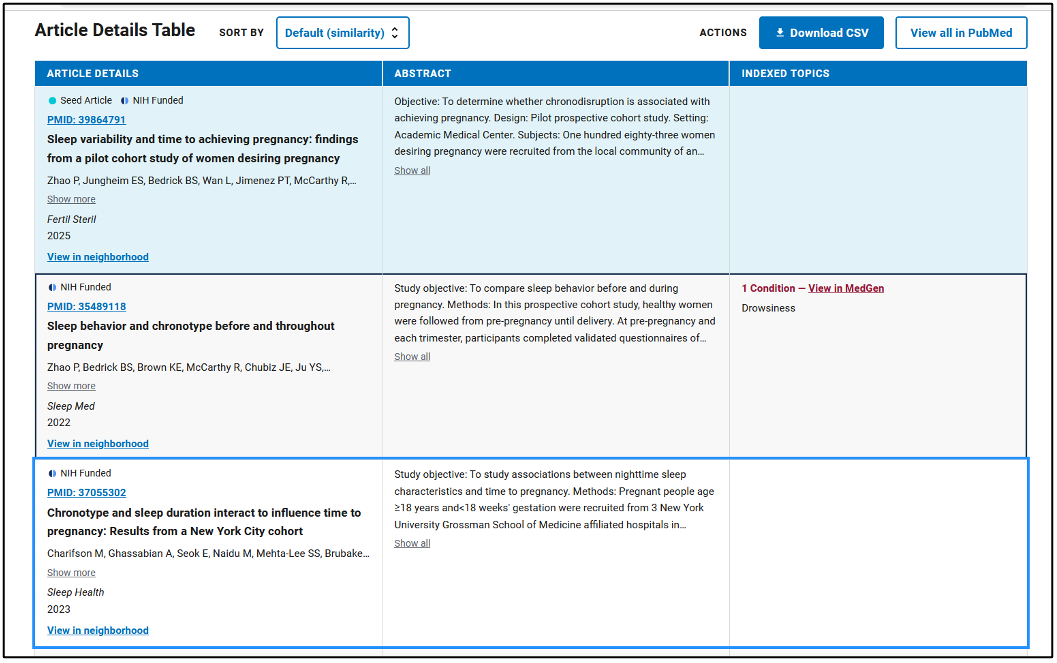
Below the graph is the Article Details Table. This shows the similar articles as a list. This feature can help with starting out on a literature review, finding the scope of a topic, or exploring terms for concepts to find more articles on a topic.
In our example, scrolling down to the Article Details Table shows the list of 50 articles sorted by similarity. The articles closest to the top will be more similar to the seed article, and should be studies on sleep before pregnancy. The further down the table, the more the topics will branch off into other topics, such as sleep during or after pregnancy. You can reduce the number of results to 20 to get the most-similar articles, or increase up to 200 citations to expand your net. To view the list in PubMed, click on “View all in PubMed”. This is useful if you want to export the citations into a citation manager.
And finally, there is a feature to filter the results by Condition, Gene, or Chemical. For example, the Linked Discovery for Autosomal Dominant Alzheimer Disease discusses genes. The results can be filtered by the gene of interest, PSEN1, or other genes mentioned in other articles.
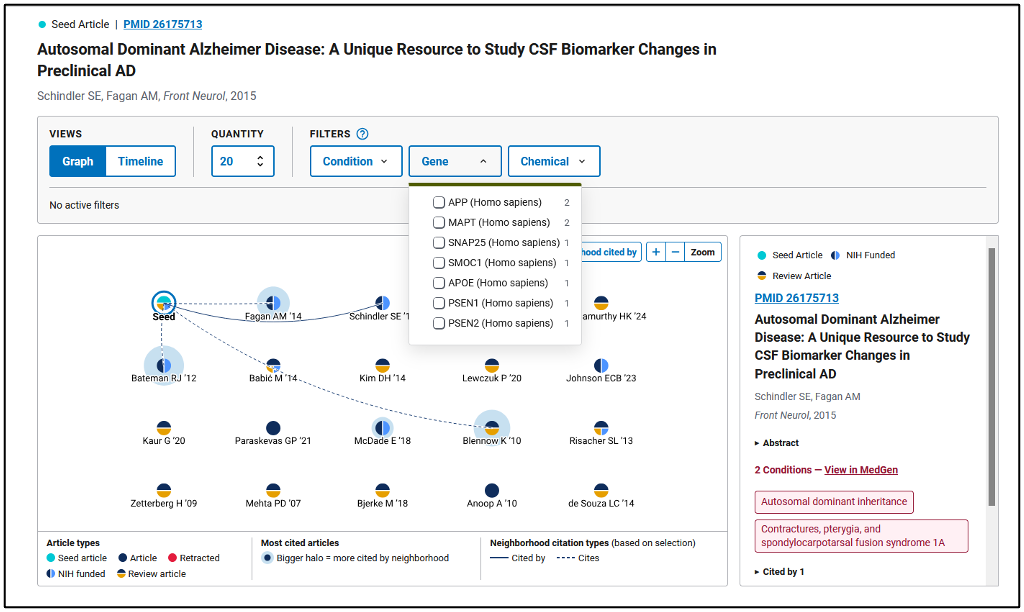
The articles are marked with color-coded circles to designate article type. The seed article is a literature review, so many of the articles in the Neighborhood are also literature reviews. They will have a navy and yellow circle, or will be labeled with “Review article” in the article details table.
For more detailed instructions, please see the Linked Discoveries User’s Guide. I hope you enjoy discovering articles using PubMed’s new resource!